
How to Repurpose your Brand Photos into a Month of Social Content - Logan, Utah Commercial Photographer
Your recent brand photo session is done and all the excitement about your new beautiful images has settled. Now you're faced with a familiar small business struggle.... what do you actually do with the photos? In this post I'm sharing a complete guide for repurposing your brand photos into a month of social posts (even if you just opted for the mini session!) By the end of this post your "now what?" feeling will be transformed into a solid plan with a simple strategy to make your brand photos earn you sales and clients. The best way to make this happen is to use each image in five creative ways.
Content Categories: Five Ways to Use a Single Photo
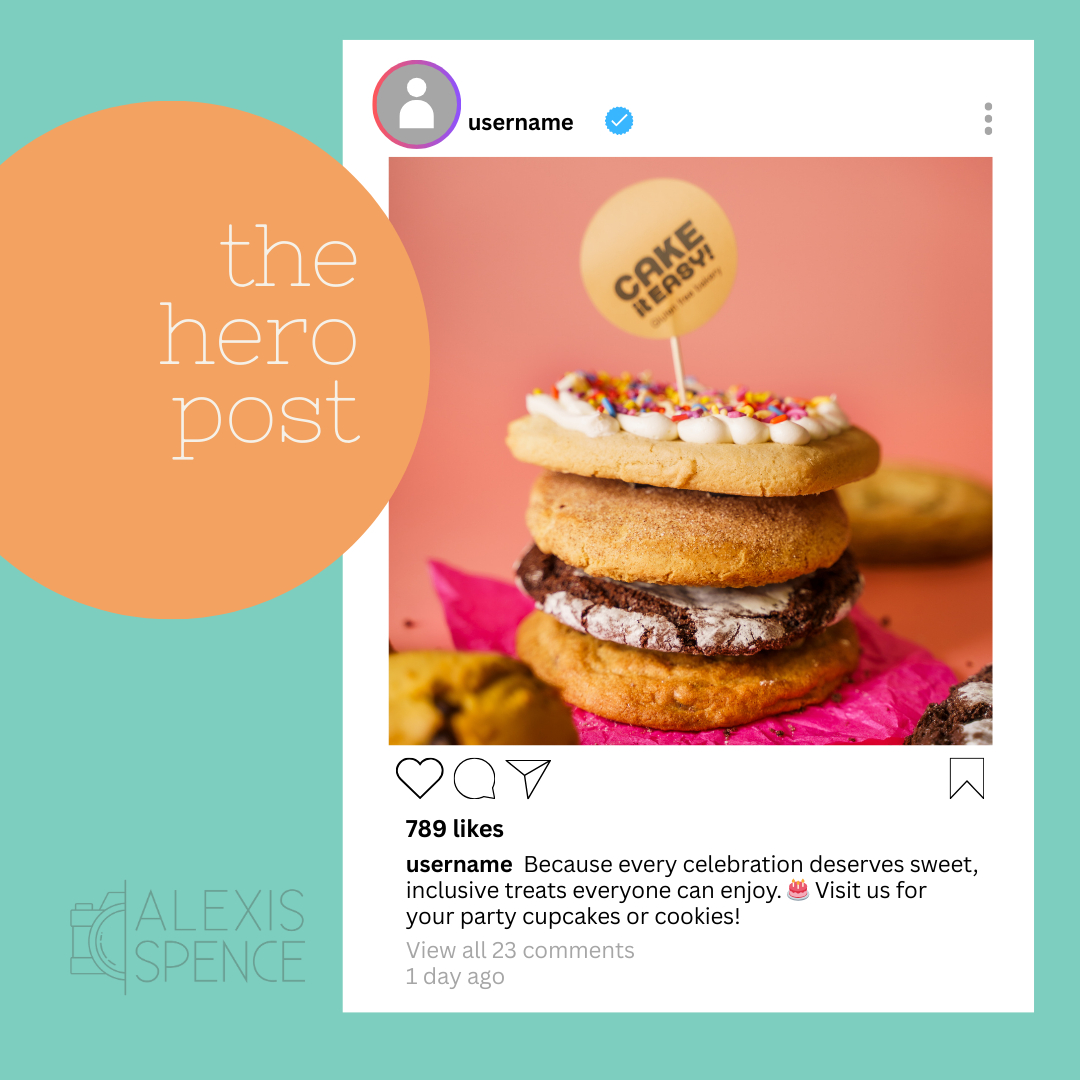
1: The Hero Image
This is a simple, high quality post where you can let one powerful image shine while your caption communicates your message. When you pair an engaging photo that captures attention with a meaningful story, important announcement, or a personal introduction, this format feels authentic, professional, and intentional. It’s ideal for those moments when you have something meaningful to say and want your photos to complement (not compete with) your message.
2: The Background Element
Transform your favorite brand photos into versatile, on-brand graphics by using them as beautiful backdrops for your messages. Whether you’re sharing an inspiring quote, a quick tip, or an announcement, layering text over your photos is an easy way to repurpose photos and create professional content that feels authentically to your brand. This approach not only strengthens the visual identity of your small business but also helps your posts stand out in a busy feed.

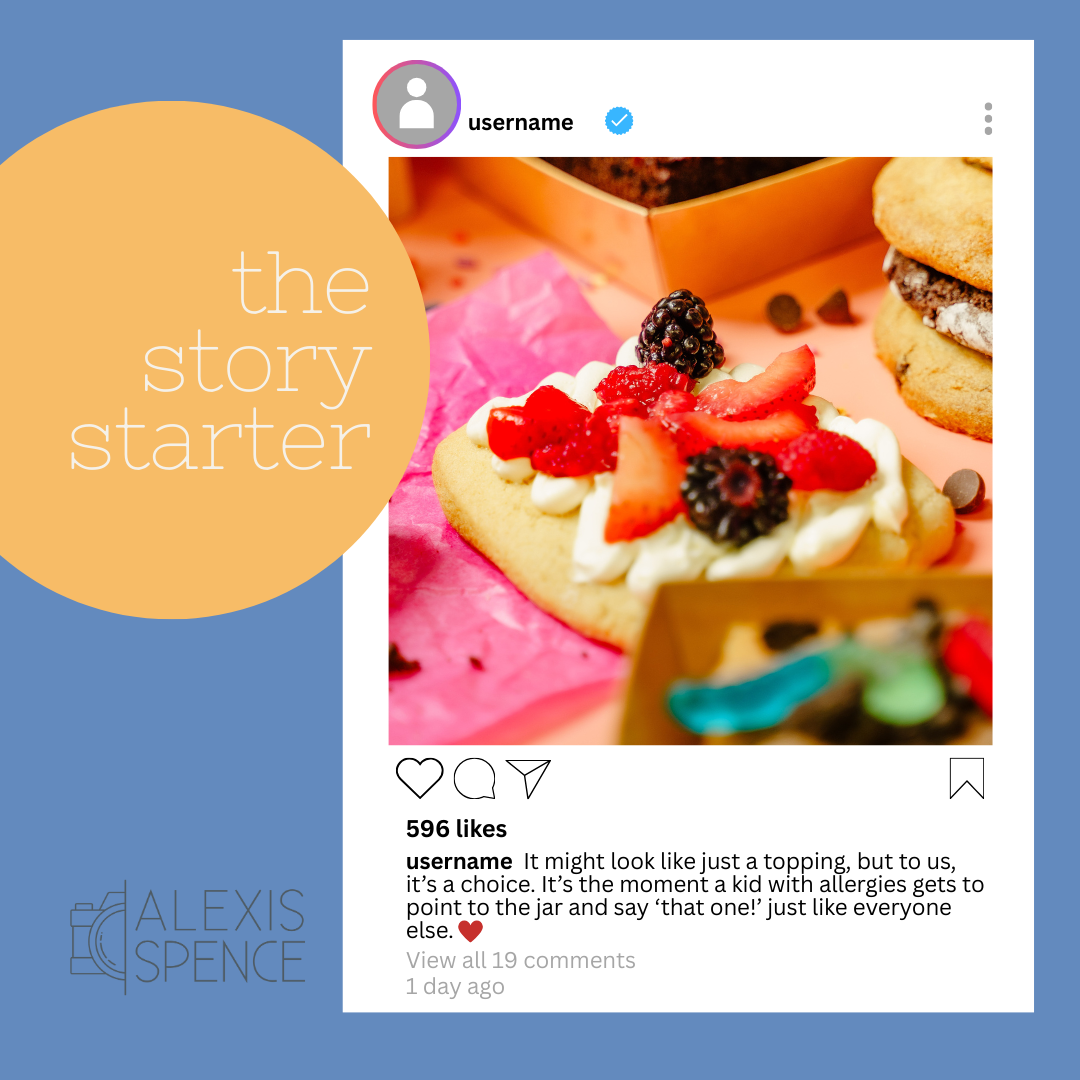
3: The story Starter
Try zooming in on one compelling detail in your product, a facial expression, or a well-loved tool you use every day. That little detail can become a powerful hook for a bigger story. Maybe it’s the perfect springboard to share your 'why'—the real reason you do what you do. Or maybe it sparks a relatable moment that helps your audience connect with you on a deeper level. Sometimes when you zoom in, you can turn a single image into an invitation: to share, to relate, and to engage.
4: The REEL Backdrop
Turn a static photo into a dynamic piece of content by dropping it into a trending video template or using it as a backdrop while you share your message in a text overlay. Short videos tend to get more love from the algorithm—so give your reach a boost by adding video to your social posts. Using your photo as the anchor in a reel keeps your branding consistent while catching more eyes.

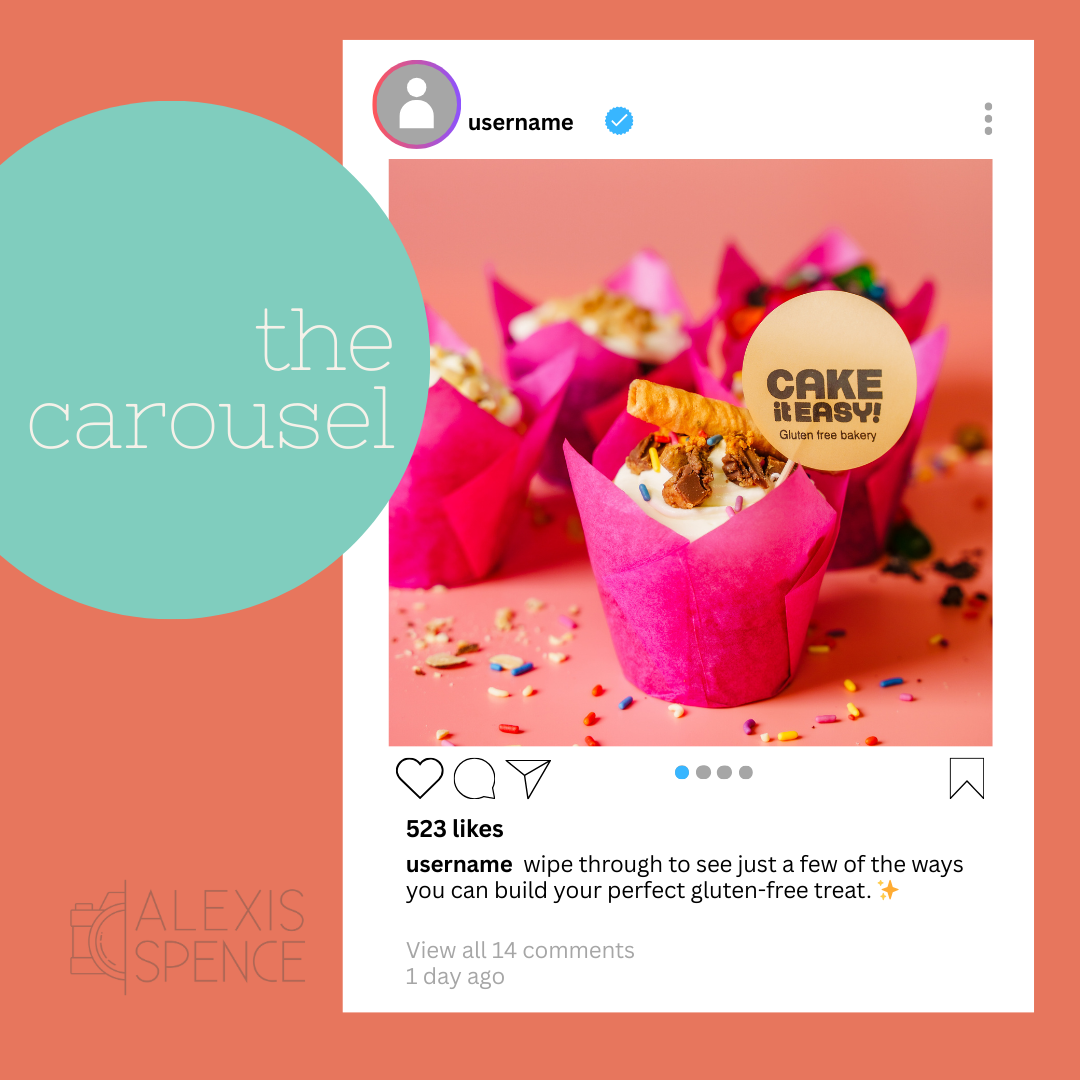
5: The Carousel Feature
Grab a really great photo to use as your cover image, one that will stop people from scrolling and make them want to swipe through your carousel. Start with that eye-catching photo to introduce a series of fun facts, a helpful tip or lesson, and then use the next few slides to dive into the details. It’s a smooth and engaging way to share what you know and show off your expertise!
So, remember, your gallery (even if you did a mini session and have 10 photos) is a content powerhouse waiting to be unleashed. Use several of your photos as a single image post, then use several as backgrounds for graphics or text (it's okay to reuse images from the single image posts!). Try cropping in on details in some of the photos as a hook to tell a story or start a conversation, use your photos as backgrounds in reels, and of course, make a few carousel posts to encourage engagement!
